
ACLab / Public portfolio
Try the workflow.
Explore the design.
I’m Tomoya Nishimura. These independently built demos show how I turn a workflow into an application. Each project includes the problem, an implementation decision and a working demo. They are not customer case studies.
Featured project / Inventory teams / Fictional data
StockFlow.
Approve the request. Then move the stock.
For teams sharing inventory, StockFlow demonstrates how to request a stock movement, check the proposed quantity and approve it before updating the inventory. The request, decision and activity history stay together.
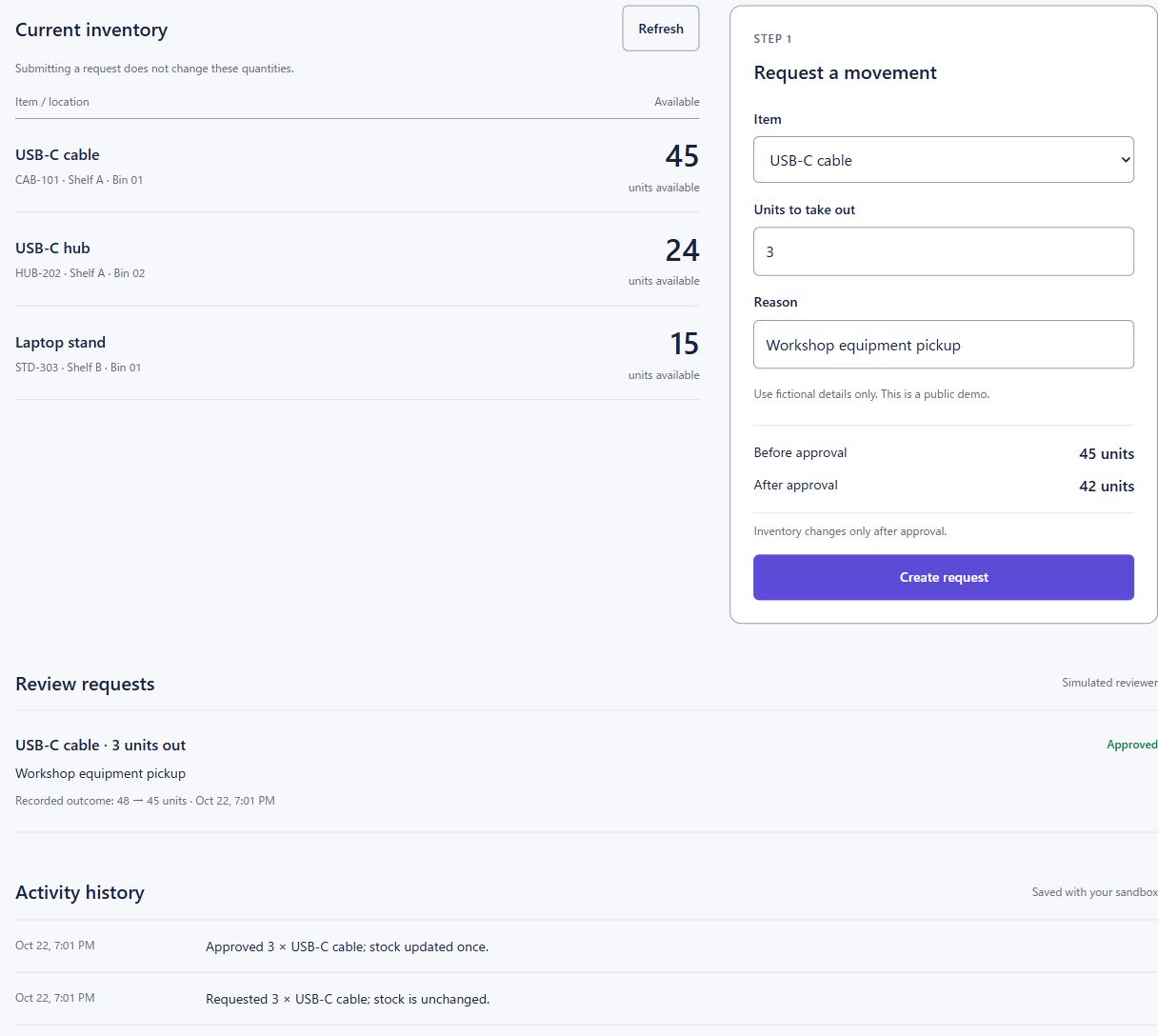
Example: equipment for a workshop
- RequestA staff member requests USB-C cables for a workshop. Submitting the request leaves stock unchanged.
- ReviewA reviewer checks the item, quantity and reason before deciding.
- ApproveApproval updates the inventory and records the movement in the activity history.
You can play both roles in this demo. The example illustrates the workflow; it is not a customer case study.
- The implementation question
- How can a workflow prevent a repeated request or an outdated approval from changing stock incorrectly?
- Built with
- Cloudflare Workers and D1 store the demo workflow in a cookie-isolated sandbox. Repeated requests are handled once; approval rejects an outdated stock version and records an audit history.
- Demo limits
- Fictional stock and demonstration reviewer actions, not authenticated production roles. There is no AI inference or connection to a live warehouse. Production use requires identity, access controls and operational review.
Browser AI / Object vocabulary / English UI
Word Lens.
Objects become vocabulary.
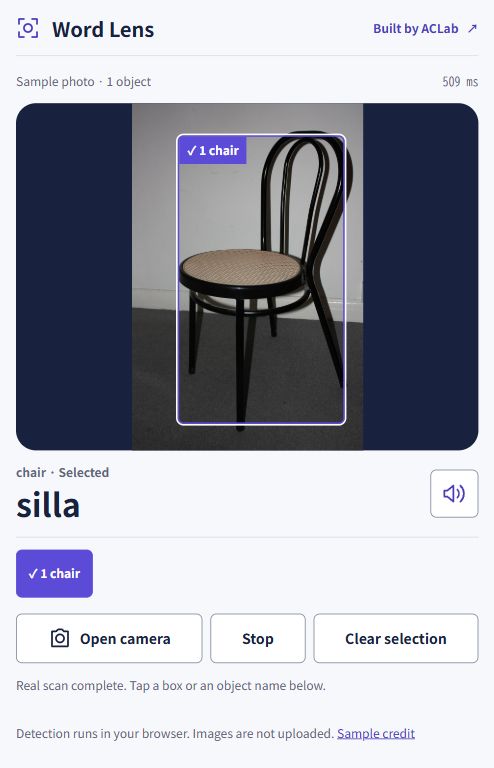
For language learners who want to connect vocabulary to everyday objects. Try a sample photo, select a detected object and explore its name and pronunciation in another language before opening your camera.
- The implementation question
- Can someone inspect a real result before deciding whether to grant camera access?
- Built with
- Object detection runs in the browser. Static assets are deployed with Cloudflare Workers. Vocabulary uses authored translations; pronunciation uses available device voices.
- Demo limits
- Only supported object categories are detected, and recognition can be wrong. Images stay in the browser. Some device voices may use an online speech service.
Data integration / English UI / Local file processing
CSV Bridge.
Check the data before import.
For operations teams preparing CSV imports. Map columns, inspect invalid rows and download a normalized file before taking it into another system. Start with the fictional sample or process a local file in your browser.
- LoadChoose a CSV or start with the included fictional sample.
- ValidateMap columns and inspect invalid or duplicate records.
- ExportDownload checked rows with formula-like text prefixed; review spreadsheet import settings.
- The implementation question
- How can an import surface invalid data before it reaches another system?
- Built with
- CSV parsing, mapping and validation run in the browser. No file upload, database or third-party service is involved.
- Demo limits
- This is a bounded CSV preparation demo, not a live connector. Review the destination schema before importing. Inputs stay in memory until you close or reload the page.
Implementation planning / English UI / Rule-based output
Japan Pilot Desk.
Define the pilot before the build.
For AI and SaaS teams planning a Japanese customer pilot. Turn a fictional workflow and selected requirements into draft acceptance criteria, responsibilities and open questions to review with the customer.
- DescribeDescribe a workflow and select its operating requirements.
- ReviewInspect the resulting delivery steps and unresolved questions.
- ExportDownload an implementation brief for review.
- The implementation question
- What needs to be agreed before a Japanese customer pilot begins?
- Built with
- A deterministic rules engine turns selected requirements into a browser-only implementation brief. Input stays in browser memory.
- Demo limits
- No AI generation, customer submission, legal advice or compliance assessment. The output is a starting point that needs review with the customer.
Build a workflow around your business.
The initial consultation is free, and you do not need a finished specification. Have an inventory, approval or data-preparation process to improve? Tell me how it works today, who needs to review changes and which tools you use. I can help define a pilot, build the workflow and document how to operate it. I also support global AI and SaaS teams implementing their products for Japanese customers.